Enclosures & Accessories
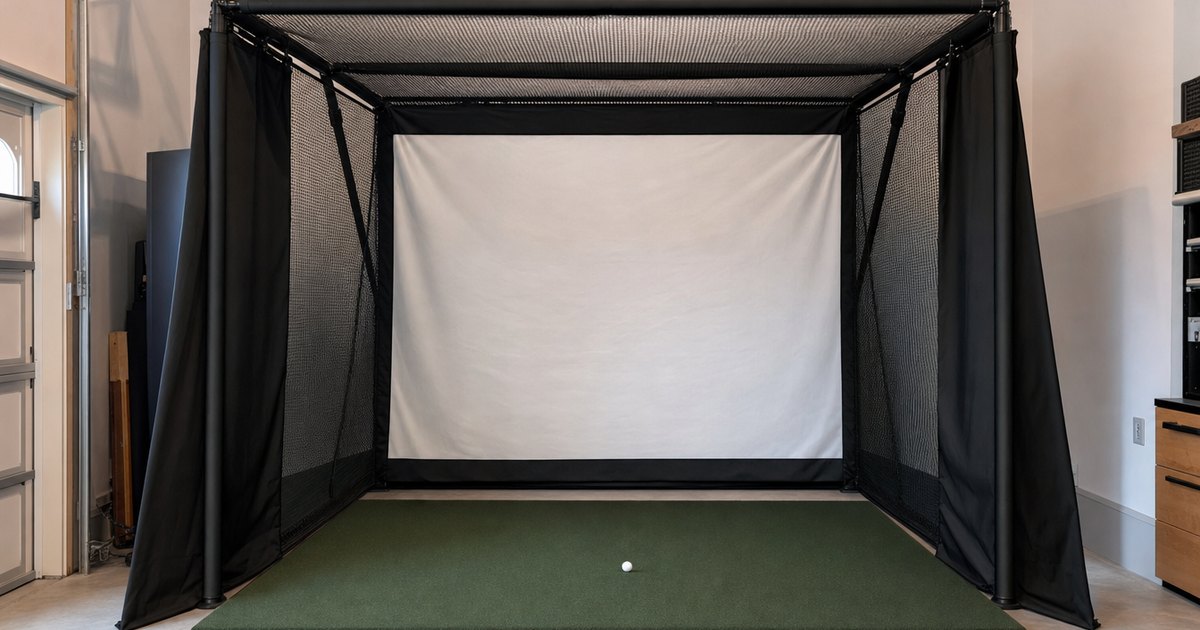
A launch monitor is the start of a build, not the whole of it. This silo covers the kit that turns a monitor into a bay you actually play in — enclosures, hitting nets, mats, impact screens, projectors, alignment and space kits, and tablet mounts. The focus is what to buy first and how each piece stacks onto the monitor, so you phase the spend instead of overbuying. This silo also owns the site's interactive tools. Specs and compatibility are verified against manufacturer details; no hands-on testing is claimed.
The build kit, in buying order
The launch monitor sets your data quality, but the enclosure and accessories are what turn it into a bay you actually play in. The order that works for most builders lets you phase the spend instead of overbuying — start hitting cheaply, then add the finished bay as the budget allows.
- Hitting mat. The first piece. It protects your floor, your wrists and your clubs, and gives a consistent surface to strike from, turning a bare monitor into a practice station.
- Net, then enclosure. A net is the cheapest safe way to start hitting with just the monitor and a tablet. An enclosure adds an impact screen and a finished, contained bay — many builders run the net first and add the enclosure later.
- Impact screen. The surface you project the course onto and hit into, sized to your room and rated to absorb the ball speed you generate.
- Projector. Throws the sim image onto the screen, chosen for throw distance and brightness to suit the bay so the picture fills the screen cleanly.
- Mounts and space kits. Tablet or PC mounts, alignment and side-netting, and the small pieces that make a bay safe and usable. Last, once the core is solid.
Net first or enclosure first?
This is the most common question in this silo, and the answer is usually "net first." A net plus a mat and a launch monitor gets you swinging safely for the least money, with your numbers on a tablet. An enclosure is the upgrade that adds a projected image and a more finished, contained bay — worth it once you know the hobby has stuck and your room can take it. Phasing the build this way spreads the cost and lets your room, not a spec sheet, set the pace. The best golf simulator enclosures guide compares the enclosures, screens, mats and nets side by side so you can pick the pieces in the right order.
Why the room decides this silo
More than any other part of the build, the enclosure and screen are constrained by physical space. An enclosure has a fixed footprint and a fixed height, and an impact screen is only useful if you can swing a driver in front of it without clipping the ceiling. This is where ceiling height kills more builds than budget does: a bay you cannot swing under is wasted money, however good the screen. Measure length, width and ceiling height, then run the sim space & ceiling-height planner before you commit to a bay. And because compatibility and room sit together, the sim-compatibility silo is the natural next stop for matching the projector and screen to the platform your monitor drives.
Mats, flooring and the pieces people skip
The screen and enclosure get the attention, but the mat and flooring decide how the bay feels day to day. A good hitting mat protects your wrists and clubs and gives a consistent strike surface, and the flooring around it keeps the whole bay level and quiet. These are the pieces first-time builders most often underbuy, then replace — a thin mat that jars your joints or a setup that shifts underfoot pulls you out of practice fast. Buying the mat to suit how often you will hit, rather than to save a few dollars up front, is one of the easier wins in the whole build. The build-kit guide compares mats, screens and nets so you can phase these in the right order.
Featured guides
The current published guides in this silo. More land each batch.
Landing next: golf simulator enclosure guide, best golf impact screen, best golf simulator mat, best golf hitting net, best golf net for the backyard, DIY golf simulator enclosure, and golf-simulator flooring.
Frequently asked questions
What do I need to build a golf simulator bay?
Around the launch monitor: a hitting mat, a net or enclosure to catch the ball, an impact screen if you want a projected image, a projector, and mounts. The order that works for most builders is monitor, mat, net or enclosure, screen, projector — adding pieces as the budget allows.
Net first or enclosure first?
A net is the cheapest way to start hitting and works with just a monitor and a tablet. An enclosure adds an impact screen for a projected image and a more finished bay. Many builders start with a net and add the screen and enclosure later — this silo lays out the cart-stack so you can phase it.