Launch Monitors by Budget Tier
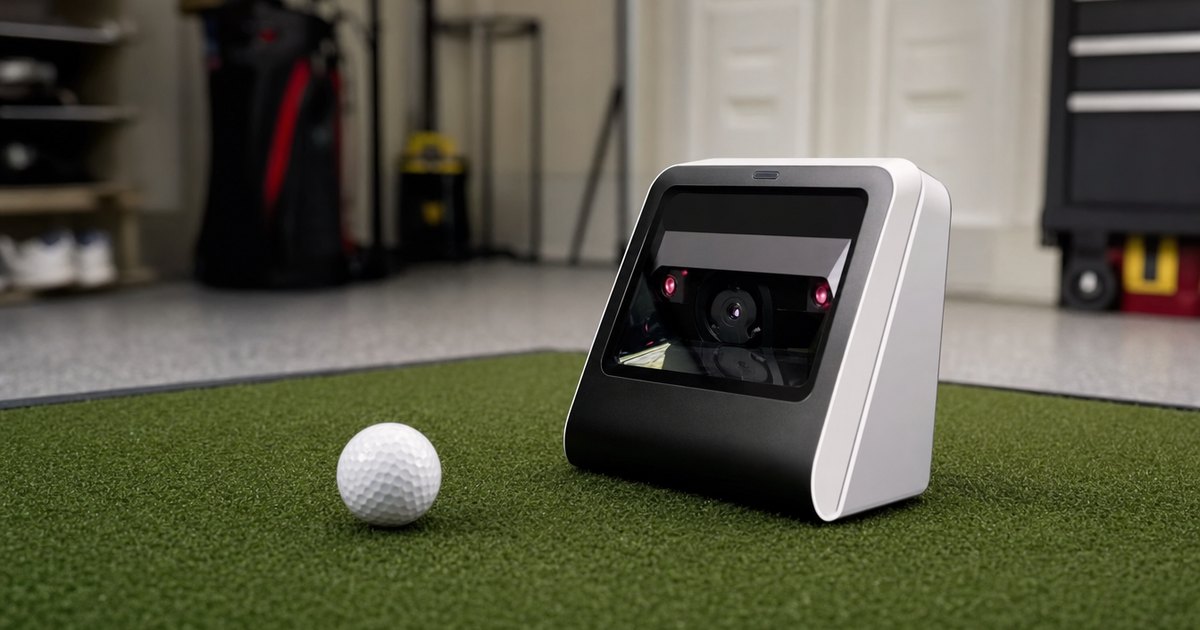
Price is the first filter most buyers reach for, so this silo sorts launch monitors into three plain-English bands — entry portable (sub-$1k), mid prosumer ($1k–$5k) and full enclosure-grade ($5k+) — and shows what each tier actually measures versus estimates. The goal is simple: help you see where the price jumps buy you real, measured data and where they just add convenience. Specs are verified against manufacturer details and current listings; no hands-on accuracy testing is claimed.
The three price bands, in plain English
Almost every launch monitor sorts into one of three bands, and the gaps between them are about more than money. Each tier tends to bring a different data method, a different level of sim support, and a different set of numbers it measures versus calculates. The trick is to match the band to what you actually need — not to assume the most expensive unit is the right one for a first build.
Entry portable — under about $1,000
This is the range-friendly tier, home to the popular Doppler radar units that anchor most first home sims, the Garmin R10 among them. They measure ball speed and launch well, drive sim software, and pack into a bag for the range. The honest caveat is that spin at this tier is often calculated from ball speed rather than measured directly — fine for fun, feedback and gapping, less so for rebuilding a swing around the spin number. For most buyers this is where a first build starts, and it is exactly what the best launch monitors under $1,000 guide works through.
Mid prosumer — $1,000 to $5,000
The band where measured spin and fuller sim support arrive in earnest, and where many photometric camera units live. The step up here is usually about data method, not just more features: a unit that reads spin at impact rather than estimating it from flight. If trustworthy spin is something you will build practice around, this is the tier where the price jump buys real, measured data rather than convenience. The data-depth silo compares these units on exactly which parameters they measure versus calculate.
Full enclosure-grade — $5,000 and up
The high-end photometric and premium radar systems used in serious home bays and commercial facilities. They measure the most parameters directly, in the tightest spaces, with the published accuracy bands buyers at this level expect. It is more unit than most first-time builders need, but it is the ceiling of what is possible and the reference these guides measure the cheaper tiers against.
Where the price jump actually buys real data
The single most useful way to read these tiers is to stop asking "how much more does this cost" and start asking "what does this measure that the cheaper one calculates." The biggest jump is almost always from calculated to measured spin, and from limited to full sim-platform support. Plenty of buyers overspend on a tier they do not need, and plenty underspend on a unit that calculates the very number they planned to fix their swing with. Neither is a money problem; both are a data-method problem. Feed your must-measure-spin requirement, your budget band and your indoor-or-outdoor plan into the measured-vs-calculated comparator and it shows you where the line falls for your build.
How to pick your tier without overspending
The cleanest way to settle on a band is to answer three questions in order. First, will you build a swing change on spin? If yes, you want a tier that measures spin, which usually means stepping into mid prosumer; if no, an entry portable unit that calculates spin is fine for feedback and gapping. Second, do you need courses on a screen, or just numbers and range practice? Full sim support nudges you up a band, while a monitor and its own app keep you in the entry tier. Third, how much room do you have? A tight indoor space favors a compact photometric unit, while a garage with depth suits a radar unit at the entry tier. Answer those three and the tier almost picks itself — and the measured-vs-calculated comparator turns your answers into a shortlist with each parameter labeled measured, calculated or not captured.
Featured guides
The current published guides in this silo. More land each batch.
Landing next: best golf launch monitor, portable launch monitor guide, Garmin Approach R10, mid-range vs prosumer launch monitors, and best launch monitor under $2,000.
Frequently asked questions
How much does a golf launch monitor cost?
Roughly three bands. Entry portable units sit under about $1,000 and are great for the range, though many calculate spin rather than measure it. Mid prosumer units ($1k–$5k) add measured data and better sim support. Full enclosure-grade units ($5k+) are the photometric and high-end radar systems used in serious home and commercial bays.
Where does the price jump buy real data?
The biggest jump is usually from calculated to measured spin, and from limited to full sim-platform support. Spending more does not always buy more — it buys a different data method. This silo lines up the tiers so you can see exactly which numbers each price band actually measures.