Build a Home Golf Simulator (Start Here)
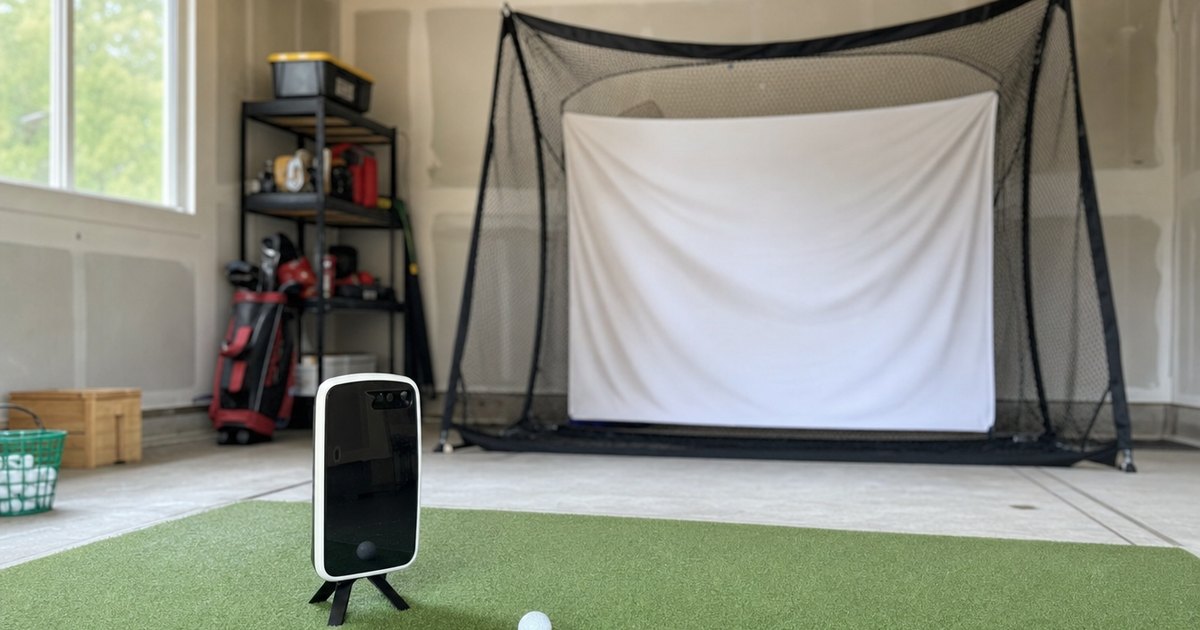
The right home golf simulator gives you trustworthy numbers and a swing you can actually practise through winter. The wrong one feeds you a calculated spin figure, you build a swing change around data you cannot trust, and you find out months later it was never real. This guide walks the build in the order that matters: what the unit measures versus calculates first, then the price tier, then the sim platform, then the full bay — and the ceiling-height check that quietly decides whether any of it fits.
A quick note on how I write here. I am Danny, the founder of Launch Monitor Data, and I built a garage simulator outside Columbus, Ohio to keep practising through the long winter. My first, cheap launch monitor calculated my spin instead of measuring it; I trusted it and rebuilt my swing around bad data for a whole winter. The opinions here come from real time in my own garage sim; the product numbers come from manufacturer specs and published data methods, not from any accuracy test I am pretending to have run. I keep those two things separate.
The one trap that matters most: measured vs calculated
If you read nothing else here, read this. Every launch monitor reports a list of numbers — ball speed, club speed, launch angle, spin, smash factor, carry — and they all look equally solid on the screen. They are not. Some of those numbers are measured: read directly by the sensor, whether that is a Doppler radar tracking the ball or a photometric camera photographing it at impact. Others are calculated: derived from the measured numbers using a model. A calculated number can be perfectly reasonable, and it can also be wrong, and the unit gives you no visible flag for which is which.
Spin is the parameter where this bites hardest, because spin is the hardest thing to measure and the easiest to fake. Plenty of affordable units measure ball speed accurately, then estimate spin from it. On a well-struck shot the estimate can land close. On a mishit, a different ball, or a swing the model did not expect, the estimated spin can be a long way off — and it still shows up as a precise, confident figure. That is exactly how my first winter went sideways: I trusted a spin number that was calculated, not measured, decided my ball was spinning too much, and rebuilt a swing to fix a problem that did not exist. The fix is not to spend more for its own sake. The fix is to know which numbers your unit measures and which it calculates, and to only build a swing change on the measured ones. The data-depth silo lines the units up model by model on exactly this, and the measured-vs-calculated comparator labels each parameter for you.
Radar vs photometric: the two ways a unit sees your ball
Behind the measured-vs-calculated question sits the data method, and there are two main families. Knowing the difference explains why two units at the same price can measure completely different things.
Doppler radar
A radar unit sits behind or beside you and tracks the ball through the air, reading its flight to work out speed, launch and — on better units — spin. Radar loves space and light: it works brilliantly outdoors at the range, where the ball flies far enough for the radar to get a long look at it. Indoors, radar units need enough distance to the screen to capture a usable arc, which is one reason the budget radar units that anchor a first home sim ask for a bit of room. The Garmin R10 sits in this family, which is why the R10-as-home-sim story always comes with a "measure your room" footnote.
Photometric camera
A photometric unit photographs the ball — and often the club — in the fraction of a second around impact, using high-speed cameras to read launch and spin directly off markings or dimples. Because it reads spin at the moment of strike rather than inferring it from flight, a good photometric unit tends to measure spin instead of calculating it, and it does so in a tight space. That is why camera-based units dominate compact indoor bays and serious prosumer builds. The trade-off is usually price, lighting requirements and, on some units, marked balls. The measured-spin guide is built around this divide.
The data parameters that actually matter
You do not need every number a unit can print. You need the handful that drive real decisions, and you need to know, for each, whether your unit measures or calculates it.
- Ball speed. The foundation. Almost every unit measures this well, and most other numbers lean on it. Get this right and you have a trustworthy starting point.
- Club head speed. Measured directly by some units, estimated by others. Useful for tracking your own progress, but check whether it is read or derived before you treat small changes as real.
- Launch angle. Usually measured well and genuinely useful for understanding flight and carry. One of the more reliable numbers on budget units.
- Spin. The big one, and the one most often calculated rather than measured. Backspin shapes carry and stopping power; sidespin shapes curve. If you are going to change a swing or a ball based on spin, make sure your unit measures it.
- Smash factor. Ball speed divided by club speed — a calculated efficiency number. Handy as a strike-quality check, but only as good as the two measurements feeding it.
- Carry and total distance. Modelled from the measured launch numbers plus assumptions about the ball and conditions. Useful for gapping clubs, but remember it is a projection, not a tape measure.
The point is not that calculated numbers are useless. It is that you should weight your decisions toward the measured ones. In my own garage sim I trust ball speed and launch implicitly; I treat spin as gospel only on a unit that genuinely measures it, and as a rough guide otherwise.
The four budget tiers, in plain English
Price is the filter most buyers reach for first, so here are the honest tiers. Spending more does not automatically buy more data — sometimes it buys a different, better data method, and sometimes it just buys convenience. The budget-tier silo works through each band in depth.
- Entry portable (under about $1,000). The range-friendly radar units, the Garmin R10 among them. They measure ball speed and launch well, drive sim software, and are the popular gateway to a first home sim. The honest caveat is that spin is often calculated at this tier — fine for fun and feedback, less so for rebuilding a swing around the spin number. This is where most first builds start, and it is covered by the best launch monitors under $1,000 guide.
- Mid prosumer ($1k–$5k). The band where measured spin and better sim support arrive in earnest, and where many photometric units live. The step up here is usually about data method, not just more features. If trustworthy spin matters to you, this is the tier where the price jump buys real data.
- Full enclosure-grade ($5k+). The high-end photometric and premium radar systems used in serious home and commercial bays. They measure the most parameters directly, in the tightest spaces, with the published accuracy bands buyers at this level expect. More unit than most first-time builders need, but the ceiling of what is possible.
- The "danger" mistake below the entry tier. The very cheapest novelty units that calculate almost everything. They are fun toys, but treating their numbers as practice data is exactly the trap that cost me a winter. If a unit calculates the number you plan to build a swing change on, that money is wasted twice.
Sim compatibility: which units drive GSPro and E6
A launch monitor is only "sim-ready" if it drives the software you want to play on, and that compatibility is set by the monitor, not the software. This is the spec most likely to disappoint after the fact, so confirm it before you buy. The two platforms most home builders ask about are GSPro — popular, community-driven, with a huge course library — and E6 Connect, a polished commercial platform. Some units also drive TGC and The Golf Club. A unit might run its own app beautifully and still not connect to the platform you had your heart set on, so check the manufacturer's current compatibility list rather than assuming.
The honest order of operations is: decide whether you even need full sim software, then pick a unit that drives your chosen platform, then build the bay around it. The sim-compatibility silo lines up which monitors drive which platforms, and the best budget golf simulators guide is the buy-side companion to this build.
The build-killer: ceiling height beats budget
Here is the truth that almost no spec sheet mentions and that nearly tripped me up: ceiling height kills more garage builds than budget does. You can afford the unit, the screen and the projector, get everything delivered, and then discover you cannot make a full driver swing without clipping the ceiling — at which point the room, not the budget, has decided your build. A radar unit also needs room behind the ball and distance to the screen; a photometric unit needs less length but still wants swing clearance.
Before you spend a dollar, do this: stand where you intend to hit, make a slow driver swing, and check the clearance at the very top of the backswing and follow-through. Then measure the room length from where you will stand to where the screen would hang, and the width for a full swing on your dominant side. I came close to buying a unit and screen my garage simply could not swing under, and the planner exists so you do not. Run the sim space & ceiling-height planner with your room numbers before you commit to any unit or screen.
The home-sim cart, in buying order
A launch monitor is the first purchase, not the only one. Buy in this order and you phase the spend instead of overbuying the wrong thing first — this is the natural home-sim cart-stack.
- The launch monitor. It sets your data quality and your platform options, so it leads. Choose it on what it measures versus calculates, its data method, and the sim platforms it drives.
- A hitting mat. Protects your floor, your wrists and your clubs, and gives a consistent surface. The first piece that turns a monitor into a practice station.
- A net, then an enclosure. A net is the cheapest way to start hitting safely with just the monitor and a tablet. An enclosure adds an impact screen and a finished bay — many builders start with the net and add the enclosure later.
- An impact screen. The surface you project the course onto and hit into. Sized to your room and rated to take the ball speed you generate.
- A projector. Throws the sim image onto the screen, chosen for throw distance and brightness to suit your bay.
- A tablet or PC mount and sim software. The brains that turn your numbers into courses and games, once the physical bay is solid.
The whole enclosure-and-accessories side of that cart — what to buy first and how each piece stacks onto the monitor — lives in the enclosures & accessories silo, built around the best golf simulator enclosures guide.
The rookie mistake to skip
Almost all home-sim regret traces back to the same root: trusting a calculated number as if it were measured, and building practice — or a whole room — on data you cannot trust. My version was a winter spent fixing a spin "problem" that the unit had estimated, not read. The cure is the entire premise of this site. Confirm what your unit measures versus calculates, weight your decisions toward the measured numbers, measure your ceiling before you measure your budget, and stack the cart in order. Do that and you skip the expensive lesson I did not. Off-season practice should sharpen your game on numbers you can trust — the same numbers-first habit, incidentally, that I bring to the rest of my garage hobbies, from choosing a first set of discs to anything else that lives or dies on the spec sheet.
Where to go next
The four silos, each starting from a buyer-first hub. Plus the tools that answer the two big questions.
Frequently asked questions
Is the Garmin R10 a good home golf simulator?
For a budget build, the R10 is the popular gateway. It is an affordable Doppler radar unit that measures ball speed and launch and drives sim software like GSPro and E6. The honest caveat is the measured-vs-calculated line: confirm which numbers it measures and which it calculates before you build a swing change around them, and confirm current sim-platform support on the manufacturer site.
What does a launch monitor measure vs calculate?
A measured parameter is read directly by the unit; a calculated one is derived from other measurements. Many budget units measure ball speed and launch, then calculate spin from that data. A calculated spin number can look precise and still be wrong — which is the difference between a swing change that works and one built on a guess.
What is the difference between Doppler radar and a photometric camera?
Doppler radar tracks the ball through its flight, which works well outdoors and when you have room behind the ball. A photometric camera photographs the ball at impact, which suits tight indoor bays and often measures spin directly rather than deriving it. The data method shapes which numbers are measured and which are calculated, so it is worth knowing before you buy.
How much room do I need for a home golf simulator?
Enough length for ball flight to the screen, width for a full swing, and — the one people miss — enough ceiling height to swing a driver without clipping. Ceiling height kills more garage builds than budget does. Measure your room first and run the sim space planner before you buy.
What ceiling height do I need for a golf simulator?
Most full-swing builds want a clear ceiling in the rough region of nine to ten feet, with taller players needing more, but the only number that matters is your own. Stand where you will hit, make a slow driver swing, and check clearance at the top. If you clip the ceiling, the room decides the build before any spec sheet does — that is why ceiling height is the first thing to measure.
How much does a home golf simulator cost?
A net-and-monitor starter can come in around the cost of an entry portable unit plus a mat and net. A finished bay with an enclosure, impact screen, projector and a unit that measures more of your numbers runs into the thousands. The launch monitor sets the floor because it sets your data quality; the enclosure, screen and projector stack on from there.
What do I need to build a home golf simulator?
In buying order: a launch monitor, a hitting mat, a net or enclosure, an impact screen, a projector, a tablet mount, and sim software. The monitor sets your data quality and platform options, so it leads; the rest stacks on around it as the budget allows.
Do I need sim software like GSPro or E6?
Only if you want to play courses on a screen. A launch monitor plus its own app already gives you numbers and range practice. Sim software like GSPro and E6 Connect turns those numbers into courses and games, but support is set by the monitor, not the software — so confirm the unit drives the platform you want before you buy either one.