Simulator Compatibility
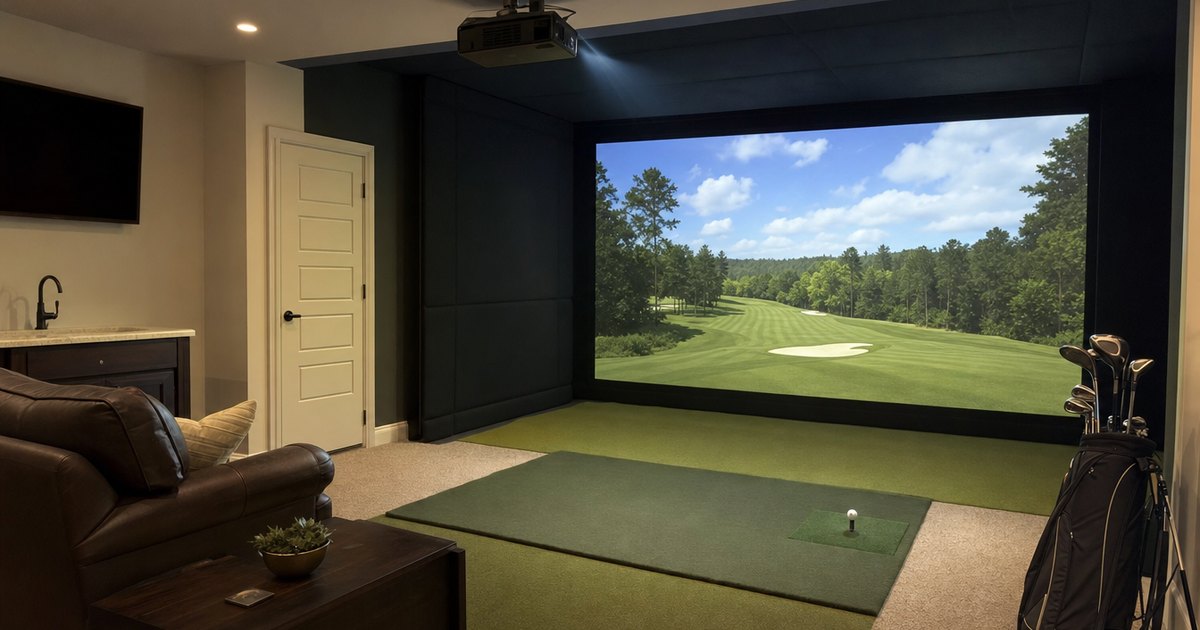
A launch monitor is only sim-ready if it drives the platform you want and fits the room you have. This silo covers both: which monitors run GSPro, E6 Connect, TGC and The Golf Club, how projectors and impact screens pair up, and the indoor space and ceiling-height requirements that quietly decide whether a build is even possible. Specs and compatibility are verified against manufacturer details; always confirm current sim-platform support on the manufacturer site before buying.
What "sim-ready" actually means
A launch monitor is only sim-ready if it does two things: drives the software you want to play on, and fits the room you have. Both are easy to overlook in the excitement of picking a unit, and both are easier to confirm before you buy than to fix after. Sim-platform support is set by the monitor, not the software — so a unit can run its own app beautifully and still refuse to connect to the platform you had in mind. And a unit that needs more room than your garage offers is not sim-ready in your space, however good its specs. This silo covers both halves: compatibility and room.
GSPro, E6 Connect and the platform question
The two platforms most home builders ask about are GSPro — popular, community-driven, with a huge course library — and E6 Connect, a polished commercial platform. Some units also drive TGC and The Golf Club. The honest order of operations is to decide whether you even need full sim software at all (a monitor plus its own app already gives you numbers and range practice), then pick a unit that drives your chosen platform, then build the bay around it. Because compatibility lives with the monitor, the safest move is always to confirm the current supported-platform list on the manufacturer's site rather than assuming a unit drives GSPro or E6. Which numbers each unit feeds the sim — and whether spin is measured or calculated before it ever reaches the software — is the job of the data-depth silo.
Projector and impact-screen pairing
Once the monitor drives your platform, the picture comes from a projector throwing onto an impact screen. The two have to be matched to the room: the projector chosen for its throw distance and brightness so the image fills the screen without the golfer's shadow falling across it, and the screen sized to the bay and rated to absorb the ball speed you generate. Get the pairing wrong and you either cannot fit the throw, or you are hitting into a screen that is not built for it. The screen, projector and the rest of the picture-and-protection kit live in the enclosures & accessories silo.
Indoor space and the ceiling-height build-killer
Here is the constraint that decides more builds than budget: ceiling height. You can afford every component, get it delivered, and then find you cannot make a full driver swing without clipping the ceiling — at which point the room has decided your build. You need length for ball flight to the screen (radar units especially want room behind the ball and distance to the screen), width for a full swing on your dominant side, and the height to swing a driver freely. Before you commit to any unit or screen, stand where you will hit, make a slow driver swing, check the clearance at the top, and run your real room numbers through the sim space & ceiling-height planner. It flags the low-ceiling build-killer before you spend.
Do you actually need full sim software?
It is worth answering this before you spend, because the answer changes the whole build. If you mainly want to dial in numbers and practice through the off-season, a launch monitor and its own app already do the job — no projector, no screen, no platform subscription. If you want to play named courses, compete online and see your shot fly on a screen, that is when GSPro, E6 Connect or another platform earns its place, along with the projector and impact screen to display it. Many home builders start in the first camp and graduate to the second once the hobby sticks, which keeps the early spend low. Either way, confirm the monitor drives your chosen platform first, because that compatibility cannot be added later in software. The budget-tier silo covers where full sim support tends to arrive across the price bands.
Featured guides
The current published guides in this silo. More land each batch.
Landing next: Garmin R10 golf simulator deep guide, how much is a golf simulator, Phigolf review, GSPro vs E6 Connect, best projector for a golf simulator, golf-simulator ceiling height, and indoor golf simulator authority guide.
Frequently asked questions
Which launch monitors run GSPro and E6 Connect?
Sim-platform support is set by the monitor, not the software, so it is the spec to confirm before you buy. Some units drive GSPro, E6 Connect, TGC and The Golf Club; others are limited to their own app. This silo lines up which monitors drive which platforms — and we always recommend confirming current compatibility on the manufacturer site before buying.
How much space do I need for a golf simulator?
More than most people expect, and ceiling height is the constraint that catches builders out. You need room length for ball flight to the screen, width for a full swing, and enough height to swing a driver without clipping the ceiling. Ceiling height kills more garage builds than budget does — run the space planner before you buy.