Best Launch Monitors Under $1,000
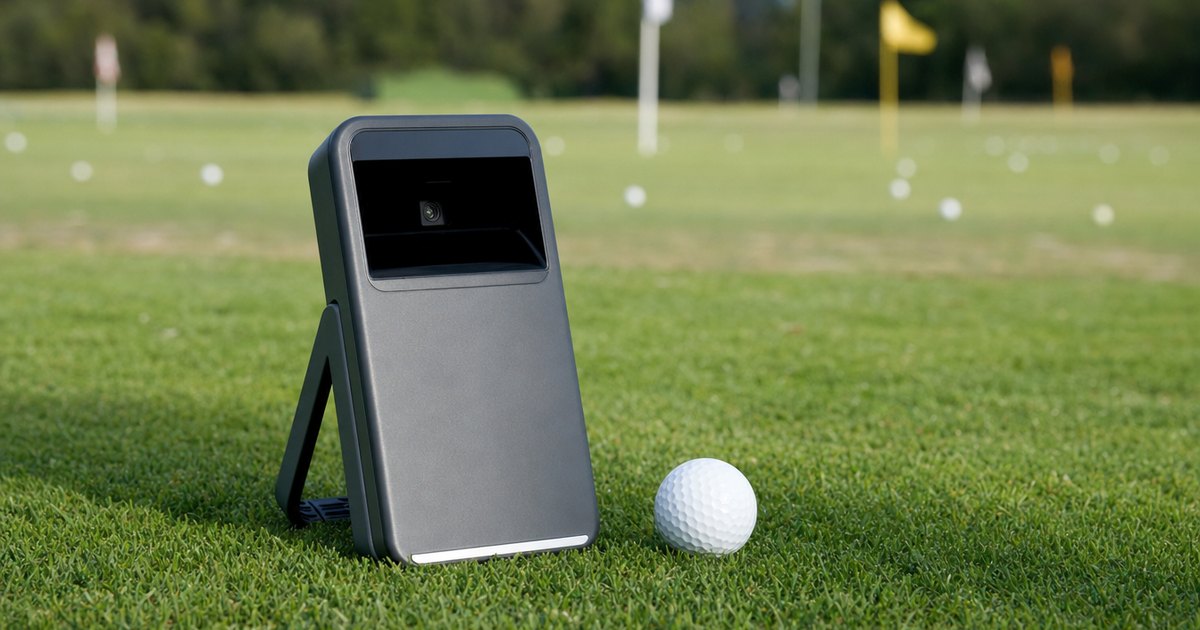
The best golf launch monitor under $1,000 is the one that measures the numbers you actually care about, not the one that quotes the most parameters on the box. This guide explains the specs that decide the buy — tech type (Doppler radar or photometric camera), which data parameters are measured versus calculated, whether spin is genuinely measured, indoor or outdoor use, and sim-platform compatibility — then matches them to five categories: best overall under $1,000, best budget pick, best for the range (outdoor), best for a budget sim build and best entry-level value. Verified picks appear in each slot once real product data is in.
A note on how to read this. There is no single best budget monitor for everyone — the right one depends on whether you need true measured spin, where you will hit, and which sim platform you want to run. So the value here is the framework: what each spec changes, so you can shortlist a unit that fits your game and your space. Read the framework first, then look at the picks. The one thing worth saying up front, from a winter spent in my own garage sim: under $1,000, most units measure ball speed honestly and then calculate spin from it — and a calculated spin number can feel precise and still be wrong. My first budget monitor fooled me exactly that way, so the whole point of this page is to keep you from building a swing change on a number that was never measured.
Specs, data methods and sim-software compatibility verified against manufacturer details and current retail listings — no hands-on accuracy-testing claims. "Measured vs calculated" labels reflect each manufacturer's published data method (Doppler radar / photometric camera / derived). Always confirm current sim-platform compatibility and indoor-space requirements on the manufacturer's site before buying.
How to choose a launch monitor under $1,000
A handful of specs decide whether a budget unit suits you — and the one that matters most is the least obvious: what the unit actually measures versus what it calculates.
Measured vs calculated — the spec that defines the price band
This is the line the whole site is built on, and it matters more under $1,000 than anywhere else. Spec-by-spec, a measured parameter is read directly by the hardware; a calculated one is estimated by a model from the parameters the unit did measure. A budget Doppler radar unit typically measures ball speed and launch directly, then calculates spin from that data rather than reading the ball's actual rotation. The calculated number can look authoritative on the screen, but it is an inference — and if your strike or the unit's placement is slightly off, the inference drifts with it. The honest question for every unit on this page is which numbers it measures and which it derives, because you can trust a measured number and you should only ever treat a calculated one as a guide.
Why does this matter so much in the budget tier? Because genuinely measured spin almost always means a photometric camera reading the ball's dimples, and units that do that well tend to sit above $1,000. So under $1,000 you are usually not buying measured spin — you are buying solid measured ball speed, carry and launch, plus a calculated spin estimate. Knowing that going in is what stops the expensive mistake of rebuilding a swing around spin you never actually measured. The best launch monitors for measured spin page picks up the moment that becomes your priority.
Tech type — radar vs photometric, and why budget means radar
Two technologies dominate launch monitors, and the budget tier is overwhelmingly one of them. Spec-by-spec, a Doppler radar unit sits behind or beside the ball and tracks its flight, which is cheaper to build and forgiving outdoors but needs room for the ball to travel to read well. A photometric unit uses high-speed cameras to photograph the ball and club at impact, reading spin and club data directly in a tight space — which is what makes camera units the measured-spin choice, and also why they cost more. Under $1,000 you are almost always choosing the best radar unit for your use, not weighing two technologies against each other. The data-depth comparison covers the full radar-versus-photometric trade-off if you want the deeper version.
Indoor vs outdoor — match the unit to your space
Where you will hit is a spec, not an afterthought, and it should narrow the field before price does. A radar unit wants distance to read the ball's flight, so it shines outdoors at the range and works indoors only with enough depth behind and in front of the ball, or a metric-ball mode that lets it read in a tighter space. Spec-by-spec, a unit's stated minimum hitting space is the figure that decides whether it will even function in your garage — and in a short room it matters more than any data parameter, because a number that cannot be read accurately is no number at all. Decide indoor or outdoor first, then choose among the units that actually work there.
Sim compatibility — what "sim-ready" really means here
A big reason to buy a budget monitor is that several can drive a home simulator, turning a $500–$900 unit into the heart of a winter practice setup. Spec-by-spec, sim capability comes down to whether the unit outputs the ball data a platform needs and appears on that platform's supported-hardware list — GSPro, E6 Connect, The Golf Club and the unit's own app are the usual targets. Compatibility is set by the manufacturer and changes over time, so confirm the exact platform you want before you buy. If a budget sim build is the goal, the best budget golf simulator guide pairs the monitor with the rest of the room.
The launch monitors compared
A short list of widely available sub-$1,000 launch monitors, compared on the specs above. Specs are verified against manufacturer details and current retail listings — no hands-on accuracy-testing claims, and "measured vs calculated" reflects each manufacturer's published data method.
| Best for | Tech type (radar/photometric) | Data params measured | Measures spin? | Indoor / outdoor | Sim compatibility |
|---|---|---|---|---|---|
| Best overall under $1,000 | Radar (Doppler) | Club & ball speed, smash factor, tempo, distance | No | Indoor & outdoor | Garmin Golf app |
| Best budget pick | Radar (Doppler) | Club head speed, ball speed, smash factor, carry | No | Indoor & outdoor | Standalone (no sim) |
| Best for the range (outdoor) | Radar (Doppler) | Swing speed, ball speed, distance, smash factor | No | Indoor & outdoor (range-friendly) | Standalone (voice output) |
| Best for a budget sim build | Photometric (camera) | 13 metrics (ball/club speed, launch, spin, carry) | Yes | Indoor & outdoor | Swinora app (3D driving range) |
| Best entry-level value | App / AI swing sensor | Swing tempo & path (no ball flight) | No | Indoor & outdoor | Golf Daddy app |
Our top picks
Best overall under $1,000: Garmin Approach G82, Portable Golf Launch Monitor and GPS Handheld with Color Touchscreen

Best overall under $1,000
Garmin Approach G82, Portable Golf Launch Monitor and GPS Handheld with Color Touchscreen
Garmin
- Tech type (radar/photometric): Radar (Doppler)
- Data params measured: Club & ball speed, smash factor, tempo, distance
- Measures spin?: No
- Indoor / outdoor: Indoor & outdoor
- Sim compatibility: Garmin Golf app
- Price-tier: Mid (sub-$700)
The Garmin Approach G82 pairs a Doppler-radar launch monitor with a full GPS course handheld in one unit. It is the best all-round sub-$1,000 pick for golfers who want both practice data and on-course GPS.
Last checked 2026-06-15
Best budget pick: PRGR HS 130-A Portable Golf Launch Monitor | Doppler Radar Swing & Ball Speed Monitor

Best budget pick
PRGR HS 130-A Portable Golf Launch Monitor | Doppler Radar Swing & Ball Speed Monitor
PRGR
- Tech type (radar/photometric): Radar (Doppler)
- Data params measured: Club head speed, ball speed, smash factor, carry
- Measures spin?: No
- Indoor / outdoor: Indoor & outdoor
- Sim compatibility: Standalone (no sim)
- Price-tier: Budget
The PRGR HS 130-A is a pocket-sized Doppler-radar monitor that reads club head speed, ball speed, smash factor, and carry distance. It is the best sub-$200 pick for golfers who mainly want reliable speed and smash-factor numbers.
Last checked 2026-06-15
Best for the range (outdoor): Voice Caddie SC200Plus Portable Golf Launch Monitor with Swing & Ball Speed, Distance and Smash Factor

Best for the range (outdoor)
Voice Caddie SC200Plus Portable Golf Launch Monitor with Swing & Ball Speed, Distance and Smash Factor
Voice Caddie
- Tech type (radar/photometric): Radar (Doppler)
- Data params measured: Swing speed, ball speed, distance, smash factor
- Measures spin?: No
- Indoor / outdoor: Indoor & outdoor (range-friendly)
- Sim compatibility: Standalone (voice output)
- Price-tier: Budget
The Voice Caddie SC200Plus is a portable radar monitor with voice distance output and a clear display readable in bright light. It is the best pick for the driving range where a phone-free, sunlight-readable unit matters.
Last checked 2026-06-15
Best for a budget sim build: Swinora Golf Launch Monitor & Simulator: Portable Swing Analyzer with 13 Metrics, 3D Driving Range, 3D Trajectory & Video Record for iOS/Android

Best for a budget sim build
Swinora Golf Launch Monitor & Simulator: Portable Swing Analyzer with 13 Metrics, 3D Driving Range, 3D Trajectory & Video Record for iOS/Android
Swinora
- Tech type (radar/photometric): Photometric (camera)
- Data params measured: 13 metrics (ball/club speed, launch, spin, carry)
- Measures spin?: Yes
- Indoor / outdoor: Indoor & outdoor
- Sim compatibility: Swinora app (3D driving range)
- Price-tier: Budget
The Swinora reads 13 metrics and includes a built-in 3D driving range and trajectory view, making it a complete entry simulator out of the box. It is the best sub-$1,000 pick for building a budget home sim around one device and a screen or net.
Last checked 2026-06-15
Best entry-level value: Golf Daddy Golf at Home Simulator – AI Swing Analyzer & No Ball Practice Trainer – Real-Time Feedback, Indoor & Outdoor Golf Practice for Skill Improvement, Portable Setup

Best entry-level value
Golf Daddy Golf at Home Simulator – AI Swing Analyzer & No Ball Practice Trainer – Real-Time Feedback, Indoor & Outdoor Golf Practice for Skill Improvement, Portable Setup
Golf Daddy
- Tech type (radar/photometric): App / AI swing sensor
- Data params measured: Swing tempo & path (no ball flight)
- Measures spin?: No
- Indoor / outdoor: Indoor & outdoor
- Sim compatibility: Golf Daddy app
- Price-tier: Budget
The Golf Daddy at-home simulator gives AI swing feedback with no-ball practice for the lowest entry price in this lineup. It suits beginners and small-space golfers who want app-based practice before stepping up to a radar or camera unit.
Last checked 2026-06-15
Who should buy what
The all-round improver — best overall under $1,000
The best overall under $1,000 slot is for the golfer who wants the most trustworthy mix of measured ball speed, carry and launch in a unit that carries to the range and can anchor a home sim later. Spec-by-spec, this is the unit that measures the core numbers reliably and is honest about which figures — usually spin — it calculates rather than measures. It is the best-rounded buy in the band: enough measured data to practise with confidence, enough flexibility to grow into a sim build.
The trade-off is that, like almost everything under $1,000, it calculates spin rather than measuring it. For most improving golfers that is the right compromise, because the measured numbers it does capture are the ones you build distance and gapping around. If measured spin becomes your priority, that is the moment to step up to the data-depth page.
The tight budget — best budget pick
The best budget pick slot is about getting trustworthy measured ball speed and carry onto your bag for the least money, without paying for parameters you will not use. Spec-by-spec, a well-chosen budget unit still measures the core flight numbers the right way — it simply skips the extras and leans harder on calculated figures for the rest. For a golfer who mainly wants honest distance and gapping data, that is exactly the right place to spend.
What you give up is data depth: fewer measured parameters, a more heavily calculated spin number, and usually less indoor flexibility. That is a fair trade at the bottom of the band, because the cheapest honest ball-speed reading still beats an expensive number you do not understand. You can always step up later; the habit of trusting measured over calculated is the part that carries forward.
The range grinder — best for the range (outdoor)
The best for the range (outdoor) slot suits the golfer whose practice happens outdoors with room for the ball to fly. Spec-by-spec, a Doppler radar unit is at its best with distance behind and in front of the ball, so an outdoor-first unit can read flight cleanly and give you reliable measured ball speed and carry hole after hole. For range work, that is the efficient choice — you are buying the technology in the conditions it was designed for.
The trade-off is that an outdoor-optimised radar unit may struggle in a short indoor space, so this is the wrong pick if your real plan is a tight garage. If the range is where you live, that is no loss at all. If indoor use is coming, look at a unit rated for shorter hitting spaces instead.
The sim builder on a budget — best for a budget sim build
The best for a budget sim build slot is for the golfer turning a sub-$1,000 monitor into the heart of a home simulator. Spec-by-spec, what matters here is sim-platform support — whether the unit drives GSPro, E6 Connect or The Golf Club — alongside enough measured data for the sim to render realistic ball flight. A budget radar unit that is on the supported-hardware list is the gateway to a winter of indoor golf for a fraction of a prosumer setup.
The trade-off is the same calculated-spin caveat plus the space question: the unit has to read accurately in the room you actually have. Pair it with a simulator enclosure, mat and net and you have a real practice room — just confirm both the sim-platform support and the indoor-space rating before you commit.
The cautious first-timer — best entry-level value
The best entry-level value slot is for the golfer dipping a toe in who wants real measured data without overspending on a first unit. Spec-by-spec, the goal here is the most honest core measurement — ball speed and carry — per dollar, accepting that almost everything else is calculated at this level. It is the low-risk way to learn whether launch-monitor practice fits how you actually want to improve.
The trade-off is the least data depth on the page and the most reliance on calculated figures. For a first unit that is the sensible compromise: you spend little, you learn what numbers you care about, and you upgrade with a clear idea of what to demand next. The one habit to carry forward from day one is knowing which numbers were measured and which were guessed.
What to buy alongside the monitor
A monitor is the start of a natural cart-stack. If you are heading indoors, add a simulator enclosure, mat and net to turn a bare wall into a hitting bay, and look at a budget golf simulator build to run sim software through the winter. Not sure what a unit really measures? Run the measured-vs-calculated comparator, and before you buy a screen or projector, check your room with the space & ceiling-height planner — ceiling height kills more builds than budget does.
Frequently asked questions
What is the best golf launch monitor under $1,000?
There is no single best unit for everyone under $1,000 — the right one depends on whether you need true measured spin, where you will hit, and which sim platform you want to run. In this price band you are mostly choosing between portable Doppler radar units that measure ball speed and launch and carry easily to the range, but often calculate spin from that data rather than measuring it. Match the unit to the numbers you will actually build practice around. Verified picks land on this page once real product data is in.
Do sub-$1,000 launch monitors actually measure spin?
Often not directly. Many budget units measure ball speed and launch with Doppler radar, then calculate spin from that data rather than measuring it. Spec-by-spec, a calculated spin number is a model that estimates spin from the parameters the unit did measure — it can read precise and still be off, because it is inferred rather than read directly. That distinction, measured versus calculated, is the whole point of this site and the first thing to check before you trust a spin number under $1,000.
Radar or photometric — which is better under $1,000?
At this price the answer is almost always radar. Spec-by-spec, a Doppler radar unit tracks the ball in flight and works best with room behind the ball, which is why most budget units are radar and most are happiest outdoors at the range. A photometric (camera) unit photographs the ball and club at impact and reads dimples directly, which is what lets it measure spin rather than calculate it — but camera units that genuinely measure spin generally sit above this budget. Under $1,000 you are choosing the best radar unit for your use, not deciding between two technologies.
Can a budget launch monitor run a golf simulator?
Several can, and that is a big reason to buy one. Spec-by-spec, sim capability comes down to whether the unit outputs the ball data a sim platform needs and is on that platform's supported-hardware list — GSPro, E6 Connect, The Golf Club and the unit's own app are the common targets. A budget radar unit can absolutely drive a home sim; just confirm the exact platform you want is supported before you buy, because compatibility is set by the manufacturer and changes over time.
Should I buy indoors or outdoors in mind?
Decide that first, because it narrows the field fast. A radar unit needs ball-flight distance to read well, so it wants room behind and in front of the ball — ideal outdoors, workable indoors only with enough depth or a metric-ball mode. If your only space is a short garage, a unit that reads accurately in a tight indoor space matters more than any single data parameter. Match the unit to where you will actually hit, not to where you wish you could.
Is a sub-$1,000 monitor enough to improve, or a waste of money?
For most improving golfers it is plenty — as long as you trust the right numbers. Ball speed, carry and launch from a budget radar unit are genuinely useful for dialling in distances and gapping. The trap is treating a calculated spin figure as gospel and building a swing change around it; that is the expensive mistake. Use the measured numbers to practise, treat the calculated ones as a guide, and a budget unit earns its money.